

60-Second Summary
Government agencies still process billions of paper documents each year, even as more services move online. That mismatch creates delays, manual work, and rising storage costs. OPEX® scanning systems help agencies convert paper records into searchable digital files. In counties like Leon (FL) and Manatee (FL), and at the Wisconsin DMV, digitization has reduced manual handling by up to 75% while enabling same-day processing.
Chapter 1
The Accessibility Challenge in Modern Government
Government agencies at every level manage enormous volumes of paper records. Tax filings, voter registrations, vehicle titles, property deeds, benefit applications, and court documents fill filing cabinets, storage rooms, and off-site warehouses. When someone needs a specific record, the process is still physical. A staff member retrieves a box, searches a folder, and scans or copies the document. If it has been misfiled or archived off-site, the delay grows.
The scale of the problem is measurable. According to a U.S. Chamber of Commerce report published in 2023, paper-based processes cost the federal government $38.7 billion annually. Federal agencies processed more than 106 billion forms between September 2021 and August 2022, and American citizens spent an estimated 10.5 billion hours completing those forms. Meanwhile, the Granicus 2025 State of Digital Government report found that the complexity of public records has surged 56% since 2018, driven by increased request volumes and larger file sizes.

Paper-based processes cost the federal government $38.7 billion annually with federal agencies processing over 106 billion forms that took American citizens 10.5 billion hours to complete.
(US Chamber of Commerce)
Those figures translate into real operational strain: staff time, storage contracts, delayed responses, and backlogs that accumulate over the years. When records are trapped in paper format, physical proximity becomes a requirement for access. Citizens must visit offices during business hours, mail physical documents, or wait for staff to retrieve archived files. Distributed teams and remote employees face the same barriers. Digitization changes that dynamic. Once records are scanned, indexed, and stored electronically, authorized staff can retrieve them immediately, whether they are in a central office, a regional branch, or working remotely.
Chapter 2
The Accessibility Imperative: Citizen Expectations for Digital-First Services
In many jurisdictions, residents increasingly expect online access to government services, similar to what they experience with banking, retail, and healthcare portals. The American Customer Satisfaction Index (ACSI) Federal Government Report 2024 recorded citizen satisfaction at 69.7%, the highest score since 2017. The improvement was driven by gains in the efficiency of government processes and the ease of accessing information. Even so, nearly one-third of respondents reported dissatisfaction. For agencies still reliant on manual records, response times and access limitations remain a gap.
The federal government has responded with clear mandates. In 2019, the Office of Management and Budget (OMB) and the National Archives and Records Administration (NARA) issued Memorandum M-19-21, directing all federal agencies to submit all permanent records electronically. A follow-up memo (M-23-07) extended the deadline to June 30, 2024, after COVID-19 delayed many digitization projects. As of July 1, 2024, NARA stopped accepting transfer requests for analog records. Federal agencies must now digitize permanent records before transferring them to the National Archives.
State and local agencies face similar pressures, often without federal-level funding. Population growth increases service demand, while staffing and budgets remain tight. For many agencies, the challenge is not whether to digitize, but how to do it without disrupting daily operations or compromising compliance standards.

Chapter 3
Technology That Delivers Equity: How Intelligent Scanning Improves Record Access
Digitization is more than converting paper into static image files. A well-designed scanning workflow captures high-quality images, extracts data through optical character recognition (OCR), tags files with structured metadata, and routes digital records into downstream systems.
In practice, this changes daily operations in several ways.
Full-text search replaces manual retrieval. When records are scanned with OCR and indexed with metadata, staff can locate a specific document by searching for a name, date, case number, or keyword. Instead of retrieving a physical folder, staff search from a workstation. That shift reduces wait times for status inquiries and shortens response windows for public records requests.

Remote and hybrid access becomes possible. Digital records can be accessed by authorized users from any location with a network connection. This allows regional offices and remote staff to review files without requesting physical transfers. During the COVID-19 pandemic, agencies that had already digitized their records continued to operate, while those that relied on paper faced significant slowdowns.

A single digital environment replaces departmental silos. Paper records stored in separate offices or warehouses create information silos. Centralized digital repositories reduce duplication and minimize version-control issues across departments.
OPEX® scanning systems are designed to support these workflows. The Falcon®+ scanner, for example, handles a wide range of document types, sizes, and conditions with minimal preparation. Seven ultrasonic multi-feed detectors identify double feeds automatically, and programmable sort bins categorize documents by size, type, or barcode at speeds up to 120 pages per minute. OPEX CertainScan® software powers the one-touch scanning process, performing in-line OCR, barcode reading, automatic de-skew, and batch validation.
Chapter 4
Compliance and Quality: FADGI and NARA Standards As Accessibility Enablers
Digitization only improves access if digital images are accurate, legible, and legally defensible. The Federal Agencies Digital Guidelines Initiative (FADGI) and NARA regulations (36 CFR 1236) define the image quality standards that federal records must meet for permanent archival.
What Is FADGI
FADGI evaluates attributes such as resolution, color accuracy, tone response, and consistency across the image field.
How Does FADGI Improve Accessibility?
When images meet FADGI standards, agencies can designate the digital version as the official record (where policy permits). That reduces long-term storage requirements and simplifies retrieval.
OPEX Falcon+ scanners deliver FADGI 3-star or Modern Textual records compliant images when paired with CertainScan software. The Velo™ 3000 and 6000 scanner series from OPEX also meets FADGI 3-star/MTR and ISO 19264-1 standards, making it well-suited for archival projects, cultural heritage digitization, and high-volume government record conversion. Velo scanners feature a gentle belt transport systems that protect fragile and historical documents during scanning, and models like the Velo 6250 rank among the highest-throughput desktop scanners available.
NARA Regulations: 36 CFR 1236
Effective June 5, 2023, NARA finalized regulations under 36 CFR 1236 establishing standards for digitizing permanent federal records. These regulations specify that digital surrogates must serve the same legal and evidentiary purposes as the originals, and they define requirements for resolution (minimum 300-400 ppi for textual documents), color space, metadata, and quality management. Agencies must analyze the information content of source records and apply the appropriate imaging standard. For records where compliance is required, scanning with FADGI-capable equipment is the most direct path to meeting these regulations.
Chapter 5
Real-World Results: Agencies Transforming Access With OPEX
Real-World Use Case
Leon County Supervisor of Elections, Florida
The Leon County Supervisor of Elections (SOE) office manages voter registration, elections, and civic document processing for approximately 190,000 registered voters. Before adopting OPEX technology, the office relied on labor-intensive manual processes for petition scanning, returned mail processing, and document retention. During the 2021 election cycle, an influx of initiative petitions and voter registration applications overwhelmed the county’s existing workflows.
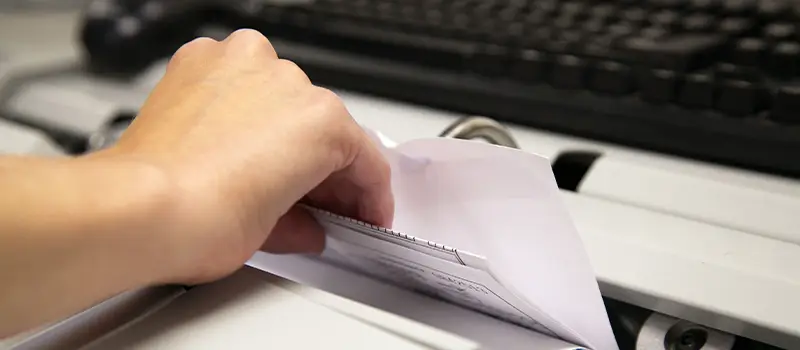
Leon County implemented the OPEX Falcon+ RED™ scanner in 2023, combining envelope opening, extraction, and advanced document scanning in a single workflow. The system automatically numbers petitions, reads barcodes, and organizes documents by circulator number in CertainScan software.
Key results:
- 75% decrease in staff needed for petition processing (from 12 people to three)
- Returned-mail handling reduced from four or five staff members to one
- 418,000 cards scanned for retention processes
- More than 20,000 returned mail pieces processed
Leon County is using the Falcon+ RED year-round across multiple applications, not just during election cycles. The office has processed 209 boxes of historical voter registration records, each containing approximately 2,000 documents. Florida legislative changes now allow digital versions to replace physical records, and the Falcon+ RED handles document types dating from the early 1900s to the present, including thin film-like materials and card stock that conventional scanners cannot process.


Real-World Use Case
Wisconsin Department of Transportation DMV
Wisconsin’s Department of Transportation needed to digitize all incoming DMV documents and unify disparate systems for mail, overnight envelopes, fax, email, driver’s license images, and other correspondence into a single process. The agency aimed to maintain transaction integrity while reducing physical handling.
The state installed OPEX scanners on existing OPEX Model 72™ mail openers, creating a one-step, drop-feed scanning workstation. Operators open envelopes and scan contents together, assigning a unique ID at the scanner. The scanned content routes electronically through OCR on the envelope and contents, then into workflow management software for validation and data capture.
Key results:
- 100% of mail and documents opened and scanned on one machine on a same-day schedule
- 83% reduction in the number of physical touches during document processing
- Zero operator intervention required for identifying transaction boundaries

Real-World Use Case
Manatee County Tax Collector, Florida
The Manatee County Tax Collector’s Office processes property tax payments, DMV paperwork, and a growing range of services for a rapidly expanding community. After implementing OPEX Falcon scanners with Mavro Imaging software, the office automated ingestion and indexing across document types.
Key results:
- Property tax paperwork requiring manual handling dropped from 8-10% to 0.02%
- DMV paperwork requiring manual handling dropped from 25% to 5%
- Avoided the need for four additional staff members despite significant population growth
- Met 100% of processing time turnaround goals in 2020
“Knowing what I know now, I wish I made the switch sooner.” – Marie Inotai, Director, Operations Department, Manatee County Tax Collector’s Office
Chapter 6
OPEX Solutions in Action: Falcon+, Gemini, and Velo
OPEX offers a range of scanning solutions designed for the volume, compliance, and document-type variability that government agencies face. Each system integrates with CertainScan software for automated image processing, OCR, barcode reading, and workflow management.
Falcon®+ scanner
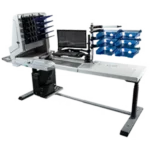
The Falcon+ is designed for agencies processing mixed document types at scale. It operates at production speeds and includes multi-feed detection to reduce rescans and quality-control checks. Three or five programmable sort bins categorize documents by size, thickness, barcode, or other attributes at full scan speed. The Falcon+ RED configuration combines the scanner with a Model 72 RED™ (Rapid Extraction Desk) for integrated envelope opening, extraction, and scanning in a single one-touch workflow. The Falcon+ delivers FADGI 3-star/MTR compliant images, making it the primary choice for federal agencies digitizing permanent records.
Gemini® scanner
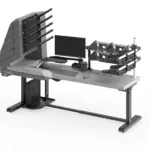
The Gemini scanner combines Right-Speed™ Scanning technology with our CertainScan software. Right-Speed scanning adjusts throughput based on document condition, maintaining speed for uniform batches and slowing automatically for fragile or irregular items. The Gemini handles documents up to 100 inches long (such as EKGs or unfolded booklets) without cutting. Five programmable sort bins and a pass-through bin support complex sorting configurations. With 600 dpi maximum resolution and multi-stream output (color, grayscale, or bitonal), the Gemini is designed for high-volume environments where document types and conditions vary significantly.
Velo™ scanner series
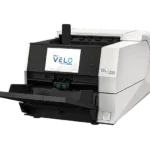
The Velo series is built for archival and high-throughput digitization environments. The Velo 3000 and 6000 series meet FADGI 3-star/MTR and ISO 19264-1 Level B standards, making these scanners well-suited for government archival projects, cultural heritage digitization, and records requiring the strictest image quality compliance. A gentle belt transport system protects fragile and historical documents during scanning, and no-scratch Gorilla® Glass prevent damage from paper clips and staples. Velo scanners feature intuitive touchscreen panels, variable input pressure for delicate items, and modular upgradeable designs that allow agencies to scale throughput without replacing hardware.
The Outcome
Once records are digitized and indexed, staff no longer rely on physical storage locations for retrieval. Public records requests can often be fulfilled electronically. A caseworker reviewing a benefits application can pull the full file from a laptop at a remote location. An auditor can search across departments and years of records in minutes rather than weeks.
The measurable outcomes documented in the case studies above demonstrate what this looks like in practice: 75% labor reduction for petition processing at Leon County, 83% fewer physical document touches at Wisconsin DMV, and near-total elimination of manual paperwork at Manatee County. In each case, agencies reported measurable reductions in manual handling while maintaining compliance standards.
OPEX has spent more than 50 years engineering automation solutions for document-intensive environments. With 345 patents, 1,700+ employees, and a family-owned commitment to long-term customer partnerships, OPEX works with agencies at every stage of digital transformation, from initial workflow assessment to ongoing support.
Frequently Asked Questions
How does FADGI compliance improve document accessibility?
FADGI compliance means the digital image meets the quality standard required for the record to legally replace the paper original. Agencies can then make the digital version the primary access point, enabling full-text search, remote access, and sharing across departments. Higher image quality also improves OCR accuracy, which directly impacts the searchability of scanned records.
What is one-touch scanning, and why does it matter for government agencies?
One-touch scanning refers to a workflow where documents are scanned, classified, indexed, and routed with minimal manual preparation. OPEX scanners paired with CertainScan software automate steps like de-skewing, barcode reading, OCR, and batch validation. For government agencies processing high volumes of mixed documents, one-touch scanning reduces labor, speeds throughput, and lowers the risk of errors during data entry.
Can OPEX scanners handle historical or fragile documents?
Yes. The Falcon+ RED processes documents dating from the early 1900s to the present, including thin film-like materials and cardstock. The Velo scanner series uses a gentle belt transport system, optional silicone transport rollers and variable input pressure specifically designed to protect fragile and historical materials during scanning. Both product lines support the digitization of cultural heritage materials and historical government records.
What is the difference between the Falcon+, Gemini, and Velo scanners?
The Falcon+ is a high-volume scanner (up to 120 ppm) with FADGI 3-star/MTR compliance, integrated envelope opening (RED configuration), and programmable sort bins. The Gemini offers Right-Speed scanning at up to 240 ppm with dual feeders and handles the widest range of document conditions. The Velo series provides production-class throughput with FADGI 3-star/MTR and ISO 19264-1 compliance, designed specifically for archival and high-volume government projects. The right choice depends on the agency’s volume, document types, and compliance requirements.
How do OPEX solutions help agencies comply with NARA’s electronic records mandate?
NARA requires federal agencies to manage records electronically and digitize permanent analog records before transferring them to the National Archives. OPEX scanners produce FADGI-compliant images that meet NARA’s technical requirements for digitized records under 36 CFR 1236. CertainScan software captures the metadata required for recordkeeping, provides audit trails for compliance reporting, and validates image quality in real time during the scanning process.
Conclusion
Next Steps for Agencies Evaluating Digitization
OPEX works with agencies to evaluate document volume, compliance requirements, and workflow constraints before recommending a scanning configuration. Whether your agency is digitizing a backlog of historical records, automating daily mail processing, or building a fully searchable digital archive, OPEX has the technology and the experience to help.
Every agency’s records environment is different, and the right configuration depends on volumes, document conditions, integration requirements, and the specific records management standards that apply. An OPEX representative will work through those variables with your team, run an on-site or virtual assessment, and recommend a scanning platform that fits your current backlog and the workflows you’re building toward. To see how that process plays out in practice, read the Leon County Supervisor of Elections case study, where a Falcon®+ RED™ deployment cut petition-processing labor by 75%, or the Wisconsin DMV story, where every incoming document now moves on a same-day schedule with 83% fewer physical touches. When your agency is ready to start the conversation, request a demo and an OPEX specialist will follow up to schedule next steps.
Other Resources You Might Find Helpful
Powering Data-Driven Decision Making: Transforming Scanned Data into Actionable Insight
From Paper to Insights: Extracting Actionable Data with Intelligent Scanning
Feeding the Data Warehouse: Integrating Scanned Document Data for Comprehensive Analysis
Instant Answers: Leveraging OCR for Searchable Government Records
Better Data, Better Outcomes: How Accurate Scanning Improves Government Reporting
Unlocking the Story in Your Documents: Using Metadata to Enhance Data Discoverability
Enhancing Accessibility and Improving Service Delivery
Serving Everyone: Using Scanning to Improve Access for Citizens
Handling It All: Scanning Solutions for Diverse Government Documents
OPEX® Perfect Pick® provides fulfillment solution for Silencer Central
NEXT LEVEL AUTOMATION
Unlock Operational Efficiency with OPEX
OPEX is powering the future of automation. Contact us to learn more about how our vertically integrated automated solutions can help take your business to new heights.